 Brixrock
Brixrock tutorials
Everything you need to get comfortable with Brixrock — what it is, how to set it up, what you can customize, and how the commands and models work. No jargon, no filler.
How it works
Brixrock is a free AI. You can use it for everyday questions, complex problems, reasoning, coding, learning new things — pretty much anything you'd normally ask a capable assistant.
There's nothing to install and nothing to pay for. Open Brixrock in your browser, pick a model, and start typing. Everything else is optional.
- 1 Create your account
- 2 Choose a model
- 3 Start chatting
- 4 Customize your experience
- 5 Use additional tools and commands
Beginner's guide
1. Create your account
Sign up with an email address and a password. That's the only sign-in method Brixrock supports right now — nothing else to connect, nothing else to authorize.
2. Open Settings
Settings is where Brixrock's customization lives. Memory, AI personality, appearance and privacy controls all sit there, and each one is explained below.
Memory
Memory is where you tell Brixrock things you want it to keep in mind across all of your conversations. You add them yourself — Brixrock doesn't invent them.
"I am a 21-year-old software engineer."
That's different from just saying it in a chat. A normal message only applies to that one conversation; a memory stays with your account, so you don't have to reintroduce yourself every time you start a new chat.
AI personality
Personality controls how Brixrock talks to you. You describe the character you want and Brixrock keeps it up across your conversations.
"Act like a friendly Liverpool fan and speak casually."
You can define things like:
- Tone
- Character
- Communication style
- Personality
- Behaviour
This is persistent customization, not a one-off instruction — it stays until you change or remove it.
Appearance
Brixrock has two themes: Dark and Light. Pick the one you prefer and Brixrock remembers your choice for next time.
Privacy
Your data stays under your control. From Settings you can:
- Delete individual conversations or your stored data
- Delete your entire account
- Export your data as a
.jsonfile
Nothing is locked in. If you decide Brixrock isn't for you, you can take your data with you and remove the rest.
You can review Brixrock's full privacy policy anytime — download it here.
Commands
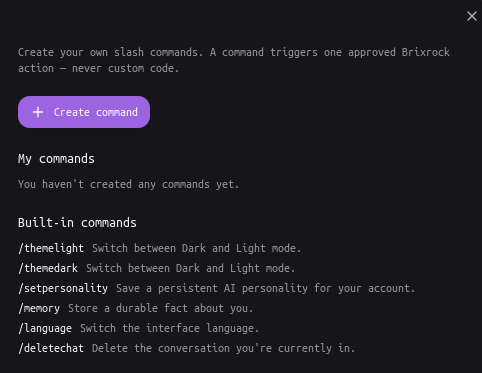
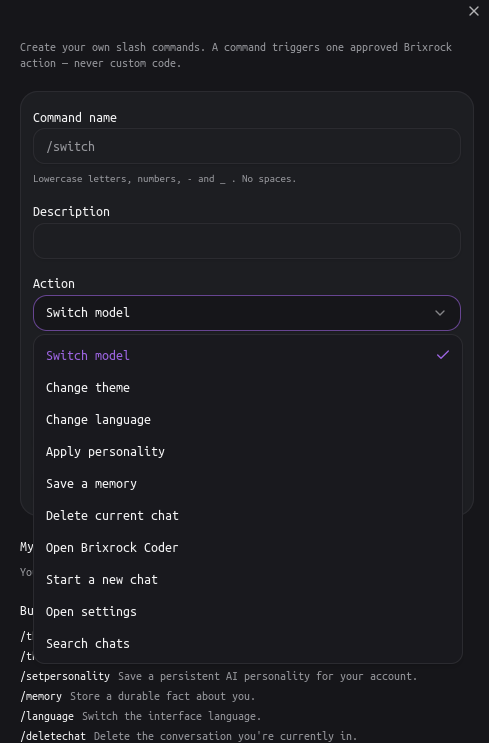
Brixrock lets you create your own slash commands. A command is a short shortcut, like /switch, that triggers one approved Brixrock action.
Actions you can assign to a command include:
- Switch model
- Apply a particular personality
- Change a setting
- Open Settings
- Start a new chat
- Open Brixrock Coder
Immediate commands
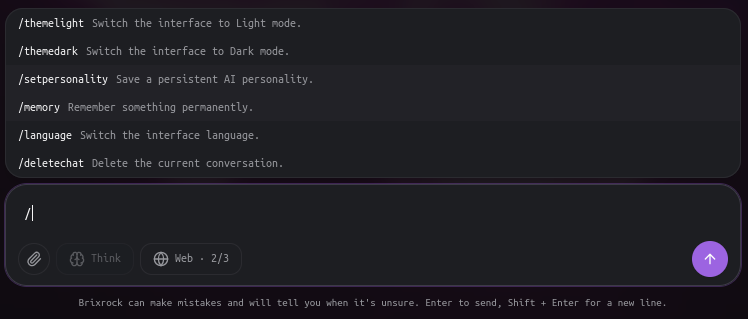
These just do the thing. Type /themelight and the theme changes right away — no extra step.
Interactive commands
These open a small interface above the chat composer. /switch, for example, opens a model picker. It's handy when the action needs input from you, so you don't have to memorize complicated command syntax.
Models
Three models, each built for a different kind of work.
Brixrock 3.8-Light
Fast, efficient, quick-thinking AI for everyday use.
- Fast answers
- Everyday questions
- General assistance
- Quick reasoning
Brixrock 4.3-Max
The deeper-thinking Brixrock model. It takes its time when a question deserves it.
- Complex reasoning
- Difficult questions
- Multi-step problems
- More deliberate analysis
Pair it with the Think capability when you want it to reason through a problem before answering.
Brixrock Coder
A dedicated AI experience for programming and software development.
- Writing code
- Debugging
- Refactoring
- Software engineering
- Technical problems
- Code analysis
Coder is its own environment, not the normal Brixrock chat — you open it separately when you're working on code.
Donate
Brixrock is a free AI made for everyone, built independently by one developer.
It's free of charge for life. There are no required payments to use it, and there never will be.
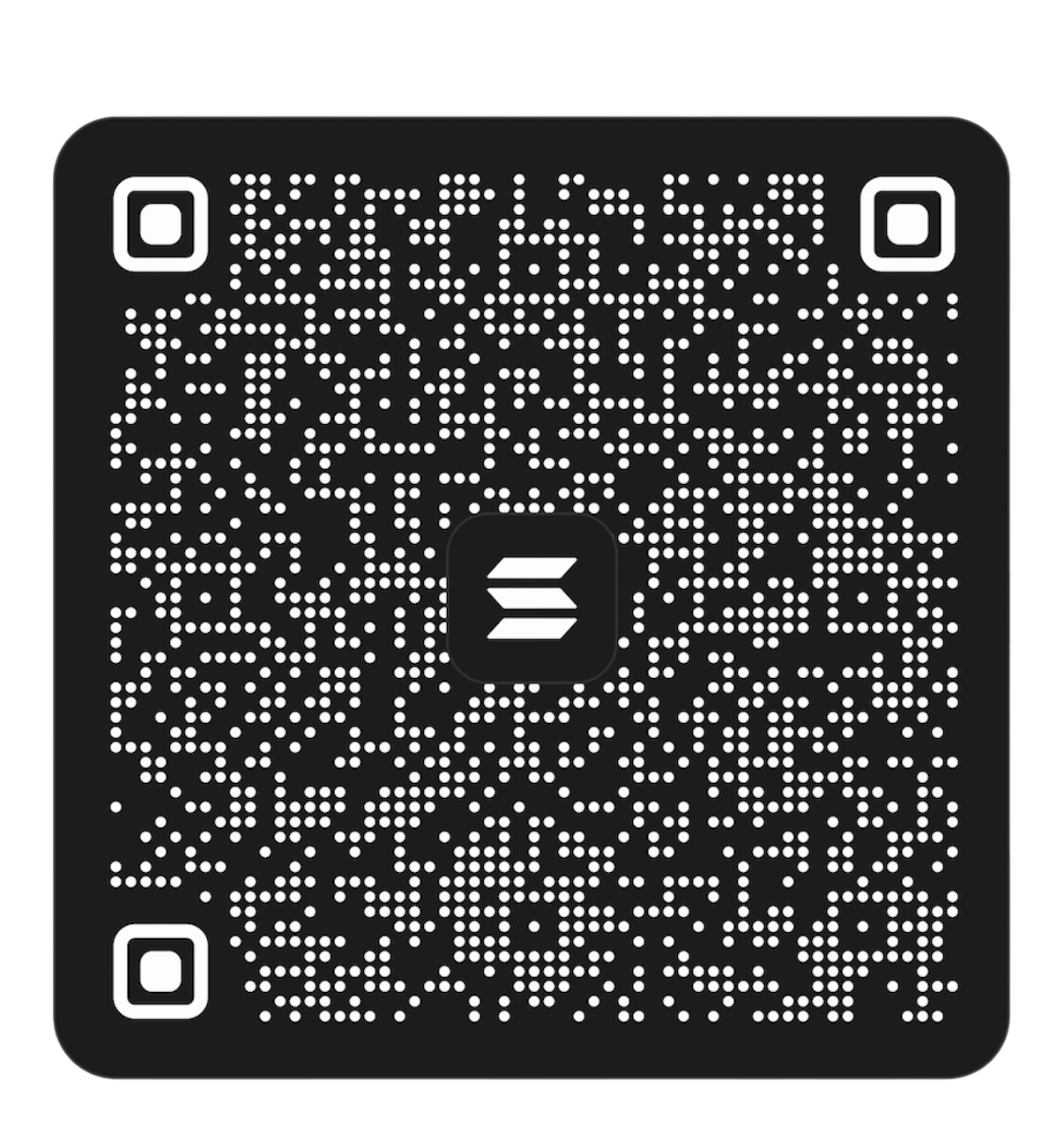
If you enjoy Brixrock and want to support its development and future projects, you can donate below. It's completely optional — using Brixrock is support enough.
Support Brixrock
Questions, bugs, or just want to say hi? main@brixrock.online